Ruined Street Couple
A familiar face among the wreckage. One embrace brings them back together.
Two portraits. A story worth keeping. Shape each moment, frame your characters, and prepare the words that will go with your cinematic reunion.
Lower the gun, embrace love.
One clear face per photo. Even light. A little room around the head.
Left photo is the infected partner; right is the survivor. Separate portraits keep the roles clear.
Standard plans a 480p video for 10 credits. Cinema HD plans 720p for 22 credits. Review the story before creating.
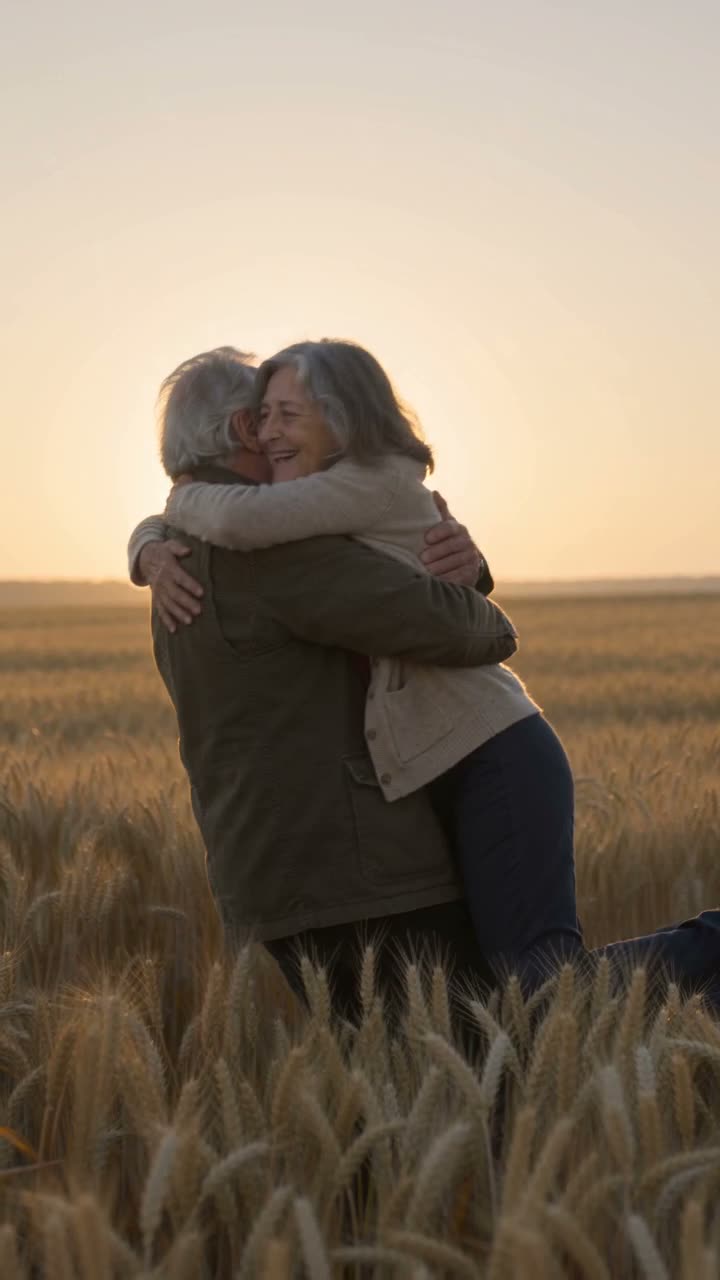
Explore reference stories, then shape your own four moments.Reference · zombiecouple-ai.com
A familiar face, changed by an unfamiliar world. The zombie love-story format turns two portraits into a short apocalypse scene: a survivor faces their transformed partner, lowers the weapon, and chooses an embrace. That touch leads into a warm memory of life before.
The appeal is the emotional arc. The encounter, the reunion, and the memory give the story a beginning, a turning point, and a final moment worth sharing.
A girlfriend, a husband, or the dog who never left your side. Choose who transforms and find a reunion story to make your own.
A familiar face among the wreckage. One embrace brings them back together.
An older couple finds each other again, from a cold room to golden fields.
A loyal golden retriever returns to the person who never stopped loving them.
In a rain-soaked street, recognition turns a moment of fear into an embrace.
The world falls away as two people return to a memory in a sunset meadow.
Two women find each other in a ruined cabin and return to a golden memory.
Choose the memory, set the mood, and shape the four moments of your reunion.
Describe a place or moment you would find each other in again.
A few words to leave with the final memory.
Plans stay on this device. Photos are not saved.
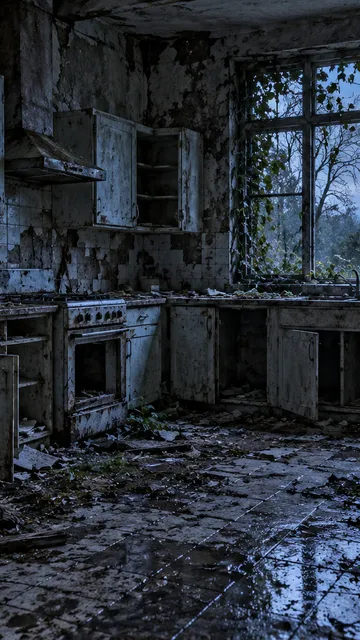
In an abandoned kitchen, their surviving partner notices your transformed partner. Begin in cool, quiet light with a restrained sense of uncertainty.
Prepare a title, caption, and subtitle draft for the place your story will live.
Draft subtitles follow your 19-second storyboard. Adjust timing to your final video.
Bring your photos. The story takes it from there.
The first portrait is the infected character. The second is the survivor. A clear selfie works well for either role.
Choose a starting scene and a warm memory. Shape the four moments, then pick your model and frame.
Follow the story from the standoff to the embrace and the memory, in a short format made for social video.
A little care with the photos makes all the difference.
The left portrait becomes the infected character; the right portrait plays the survivor. Swap the photos to reverse the roles.
Keep faces clear, front-facing, and free from heavy filters or sunglasses. Upload a separate photo for each character.
The dramatic turn is a familiar person choosing connection over fear. Keep the emphasis on recognition and the embrace.
Each setting pairs an abandoned world with a warm place from before. Choose the transition that feels closest to your story.
Standard uses 10 credits at 480p; Cinema HD uses 22 credits at 720p. Both follow the same 19-second story format.
A familiar connection, a cinematic setting, and a memory to come back to.
Shape the encounter, recognition, embrace and memory before you create.
Check image dimensions, frame the face and swap the character roles.
Explore the full setup with fictional portraits before choosing your own.
Write a personal memory and closing line, then copy a complete story prompt.
Save a plan on this device, or download and import the settings later.
Edit your title and caption, copy the tags and download a subtitle draft.
One 19-second story uses 10 credits at 480p or 22 credits at 720p HD.
Choose a one-time pack or a monthly plan.
10 credits
• 1 video at 480p
• Try your first story
One complete story to explore the format.
30 credits
• 3 videos at 480p
• Or 1 in HD + 8 credits left
Try a high-definition story or a few different photos.
50 credits
• 5 videos at 480p
• Or 2 in HD + 6 credits left
Explore your story across all four settings.
120 credits
• 12 videos at 480p
• Or 5 in HD + 10 credits left
More room for new characters and different takes.
Clear credit & refund rules: Failed jobs return the deducted credits. Finished videos are delivered as completed work.
A few answers before your story begins.
Yes. The left photo is the infected character and the right photo is the survivor. Use the center swap button to reverse the roles.
Standard is the 480p option for 10 credits. Seedance 2.5 HD is the 720p option for 22 credits. Both use the same 19-second story format.
Start in an abandoned kitchen, an overgrown path, a twilight street or a snowbound cabin. In the Story lab, choose a separate setting for the warm memory.
It is a short story about recognizing someone you love after they have changed: a tense encounter, an embrace, and a cut to a happier memory.
The story needs two characters. Use one clear portrait for each. If you have a photo together, crop it into two portraits first.
Choose Pet and put your companion in the left slot, with your portrait on the right. You can preview a dog example in the gallery.
You can plan a story, prepare photos and use the publishing kit for free. Creating a personal video uses credits. Choose a credit pack or monthly plan, then review the cost before you confirm generation.
Your storyboard plans a 19-second video. Public reference samples retain their original characters, length and watermarks, and link to their source. Your generated video is created separately from your photos and story settings.
The intended look is pale skin, clouded eyes, and worn clothing. The story focuses on the emotion of the reunion.
A familiar face. An impossible choice. A memory that says the rest.
Make My ZombieVideo Story